Becoming a Chartered Accountant is one of the toughest achievements in India. You study for years, clear difficult exams, and complete articleship. But after becoming a CA, many students face a hard reality — the degree alone is no longer enough.
Today’s CA market is very competitive. Every year, thousands of new CAs enter the profession. At the same time, businesses are changing fast because of technology. Companies now want CAs who can work with digital tools, not just someone who knows theory from books.
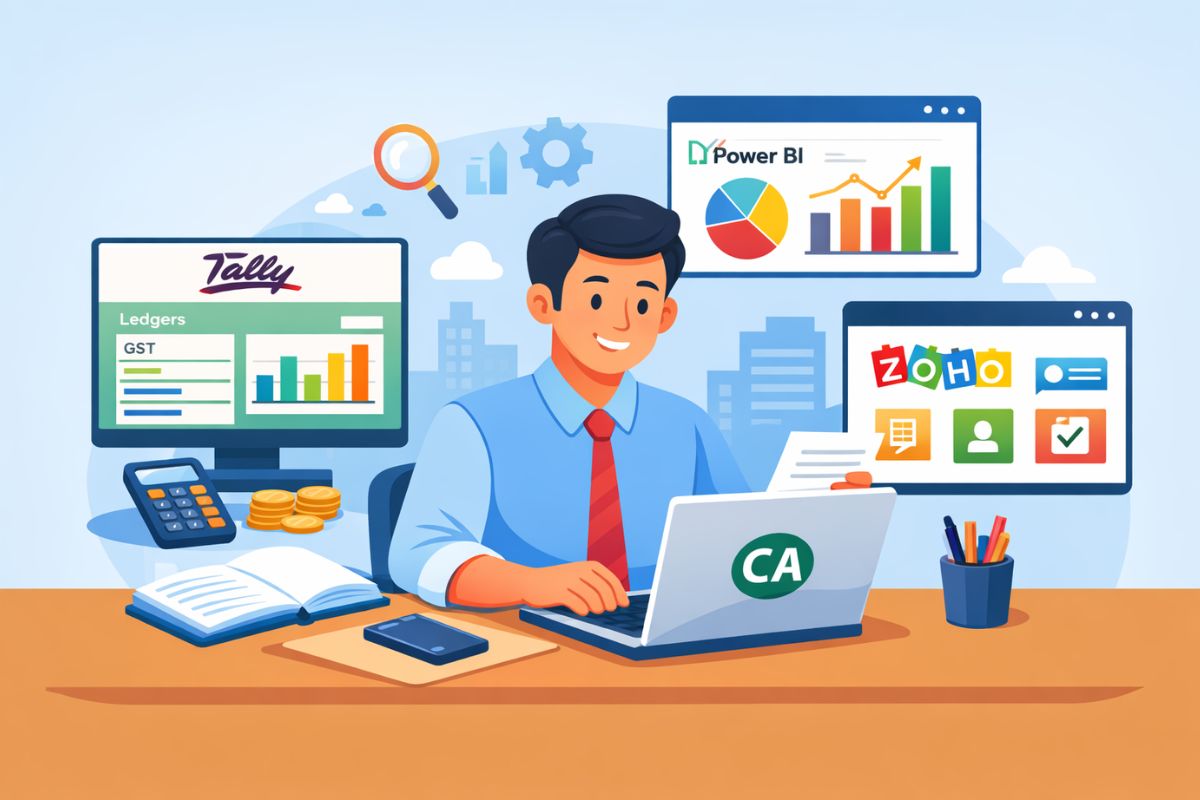
If you want to grow faster, earn better, and feel confident at work, learning tools like Tally, Power BI, and Zoho is no longer optional. It has become a basic requirement.
This article explains:
- Why digital tools are important for every CA
- How Tally, Power BI, and Zoho help in real life
- How these tools improve salary, growth, and confidence
- How and when you should start learning them
Why the CA Profession Is No Longer the Same
Earlier, CA work was slow and manual.

- Accounting was done manually
- Reports were prepared once a month or quarter
- Clients waited for days to get financial data
- Most work was compliance-focused
But now, the situation is very different.
Today:
- Businesses want real-time numbers
- Management wants quick reports
- Clients expect fast replies
- Errors are not acceptable
- Technology is used everywhere
If you cannot work fast and smart, clients and companies will move to someone else.
That is why digital skills have become compulsory for CAs.
What Are Digital Tools for CAs? (Very Simple Meaning)
Digital tools are software that help you:
- Do accounting faster
- Analyse data easily
- Prepare reports professionally
- Manage clients smoothly
- Reduce manual work and mistakes
For a CA, the most important digital tools today are:
- Tally for accounting and GST
- Power BI for data analysis and reporting
- Zoho for managing complete business operations
Let us understand each tool properly.
Why Every CA Must Learn Tally
What Is Tally Used For?
Tally is one of the most commonly used accounting software in India. It is used for:
- Recording accounting entries
- Maintaining ledgers
- Preparing trial balance
- Making profit & loss account
- Preparing balance sheet
- Filing GST returns
Almost every CA firm, small business, and medium business uses Tally.
Why Tally Knowledge Is Expected from Every CA
When you go for a job interview or articleship interview, one question is almost guaranteed:
“Do you know Tally?”
If your answer is “No”, the interviewer immediately feels that:
- You lack practical exposure
- You may take time to adjust
- You are not industry-ready
But if you say “Yes” and can explain your work, your chances increase a lot.
Knowing Tally shows that:
- You understand real business transactions
- You can handle clients independently
- You are ready to work from day one
How Tally Helps You in Real CA Work
Tally helps you:
- Record daily transactions properly
- Understand how businesses actually work
- Handle GST compliance confidently
- Reduce mistakes in accounting
- Save time during audits
For CA students and freshers, Tally is the bridge between theory and practice.
Who Should Learn Tally?
- CA students during articleship
- CA finalists before qualifying
- Fresh CAs joining firms or companies
- Practising CAs with small and medium clients
In simple words, every CA should know Tally.
Why Power BI Is Becoming Very Important for CAs
What Is Power BI? (Easy Explanation)
Power BI is a tool that helps you:
- Convert numbers into charts
- Create visual dashboards
- Understand data quickly
- Present reports clearly
Instead of showing long Excel sheets, you can show one clear dashboard.
Why Companies Prefer CAs Who Know Power BI
Today’s management does not want long reports.
They want:
- Clear charts
- Simple visuals
- Quick insights
- Decision-ready information
If you can do this, you become more valuable to the company.
How Power BI Helps You as a CA
Power BI helps you:
- Analyse sales trends
- Track expenses and profits
- Identify losses and inefficiencies
- Prepare MIS reports
- Support management decisions
This skill helps you move from a traditional CA role to an advisory role.
Career Roles Where Power BI Helps a Lot
If you want to work as:
- Financial Analyst
- FP&A professional
- Management Accountant
- Business Analyst
- Future CFO
Power BI becomes a big advantage.
Power BI vs Excel (Simple Comparison)
Excel is still important. But Power BI:
- Handles large data better
- Updates automatically
- Looks more professional
- Is widely used in big companies
If you know both Excel and Power BI, you stay ahead of others.
Why Zoho Is Important for Modern CAs
What Is Zoho?
Zoho is a cloud-based business software. It includes:
- Accounting
- Invoicing
- Payroll
- Inventory
- CRM
- Compliance tools
Many startups and growing businesses are shifting to Zoho.
Why Clients Expect CAs to Know Zoho
Today, clients do not ask only about tax.
They ask:
- “Which software should I use?”
- “How can I manage my business better?”
- “Can you help me set up accounting systems?”
If you know Zoho, you can guide them properly.
How Zoho Helps Practising CAs
Zoho helps you:
- Manage multiple clients online
- Access data anytime, anywhere
- Reduce paperwork
- Offer advisory services
- Increase professional image
For practising CAs, Zoho opens new income opportunities.
How Digital Tools Improve Salary and Growth
Let us understand this clearly.
Two CAs may have the same degree, but their skills decide their salary.
CA Without Digital Skills
- Limited job roles
- Lower starting salary
- Slow learning curve
- Less confidence at work
CA With Digital Skills
- Better job profiles
- Higher salary packages
- Faster promotions
- More confidence and respect
Digital tools make you job-ready and future-ready.
How Digital Tools Help in CA Practice
If you want to start your own CA practice, digital tools are even more important.
They help you:
- Handle more clients with less staff
- Deliver faster services
- Reduce errors
- Improve client satisfaction
- Look modern and professional
Clients trust CAs who use technology.
Common Mistakes CAs Make About Digital Tools
“I Will Learn Later”
Later often becomes never. Early learners always stay ahead.
“I Am Not Good at Technology”
You do not need coding skills. These tools are made for finance professionals.
“Degree Is Enough”
Degree opens the door. Skills decide how far you go.
When Should You Start Learning These Tools?
The right time is as early as possible.
- CA students → during articleship
- CA finalists → before qualifying
- Fresh CAs → before first job
- Practising CAs → to upgrade services
Do not wait for perfect time.
How You Can Start Learning Digital Tools
- Start with Tally
Learn accounting entries and GST practically. - Learn Power BI basics
Focus on dashboards and reports. - Understand Zoho ecosystem
Learn how businesses use it daily. - Practice with real data
Practical learning is most important. - Apply in real work
Use tools in articleship, job, or practice.
How Digital Skills Protect Your CA Career in the Future
Automation and AI are increasing fast.
- Simple work will be automated
- Manual roles will reduce
- Advisory roles will increase
Only CAs with skills + technology knowledge will grow.
Digital tools help you:
- Stay relevant
- Adapt to change
- Move into advisory roles
- Build long-term career security
Final Thoughts: Digital Skills Are Not Optional Anymore
Being a CA is powerful.
But being a digitally skilled CA is unstoppable.
Learning Tally, Power BI, and Zoho:
- Makes your work easier
- Improves job opportunities
- Increases earning potential
- Builds confidence
Do not treat digital tools as extra burden.
Treat them as career insurance.
Your CA degree gave you the foundation.
Digital skills will decide your growth, salary, and success.
Calling all CA dreamers!
🔴 Are you tired of searching for the perfect articelship or job?
Well, fear no more! With 15,000+ students and professionals already on board, you don't want to be left behind. Be a part of the biggest community around! Join the most reliable and fastest-growing community out there! ❤️
And guess what? It’s FREE 🤑
✅ Join our WhatsApp Group (Click Here) and Telegram Channel (Click Here) today for instant updates.